Smart meal planning
Get meal suggestions that fit your preferences, available ingredients, and routine.
Master your meal prep.
PrepPinnacle plans it for you — based on your budget, your kitchen, and your goals.

Less time deciding what to eat. More time enjoying food that works for you.
Get meal suggestions that fit your preferences, available ingredients, and routine.
Find satisfying recipe ideas that respect your food budget without feeling repetitive.
Explore ingredient and nutrition information to make more informed meal choices.
Your kitchen, your budget, your goals. One delicious plan made just for you.
Good to see you again
Login to continue
Please enter a valid email
Forgot Password?
or continue with
Don't have an account? Sign Up
Sign up to get started
Use 15–128 characters. A long passphrase works well.
Passwords do not match
or sign up with
Already have an account? Login
Enter your account email to request a password-reset link. Open the newest link in this browser.
We couldn't find an account linked to that
Enter the 6-digit code we sent to your linked account.
Incorrect code, please try again
Didn't get it? Resend code
Your new password must be different from previous passwords.
Passwords do not match
Your password has been changed successfully. You can now log in with your new password.
Step 1 of 9
Step 2 of 9
Eat Healthier
Lose Weight
Gain Muscle
Maintain Weight
Step 3 of 9
Male
Female
Another identity
Prefer not to say
Step 4 of 9
Step 5 of 9
ft
6543210cm
2201901701501301205 ft 8 in
or
173 cm
Step 6 of 9
Step 7 of 9
Initial
143.3 lbs
Target
143.3 lbs
Step 8 of 9
This fine-tunes your calorie target — exercise isn't counted separately.
Sedentary
Little/no exerciseLightly Active
1–3 days/weekModerately Active
3–5 days/weekVery Active
6–7 days/weekStep 9 of 9
PrepPinnacle is ready to plan meals around your goals, routine, and everyday budget.
All Set!
Your profile and daily nutrition targets, ready for your first meal plan.
Meals tailored to your goals, routine, and budget.
✦ Your daily food companion
Good Morning,
✳ Good food, good days
Discover meals that suit your tastes, schedule and budget.
 ✨ Fresh ideas, every day
Today's Summary
Calories
Protein
0/100g
Carbs
0/250g
Fat
0/60g
Fiber
0/30g
Log water as you drink
Enter your count or add a quick amount
Sign in to load your private meal plan.
Tap ✓ on a meal to save it as eaten in History.
🧊 You already have
—
Your next meal, one photo away.
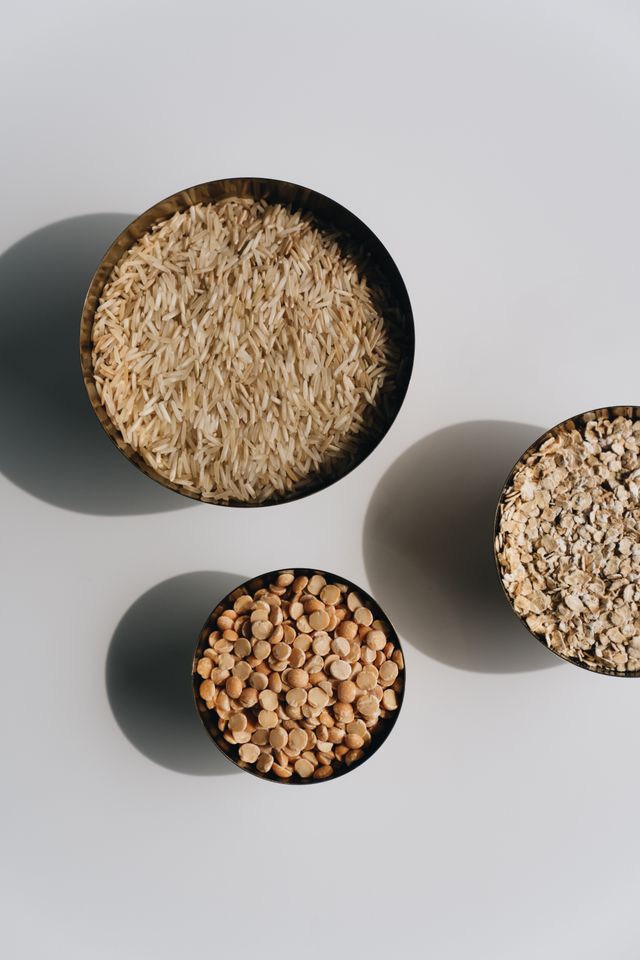
Keep a few easy-to-use ingredients at home — like lentils, rice and seasonal vegetables — for quick, flexible meals.
Revisit your logged meals, water intake, and steps.
PREPPINNACLE LEARN
General food and wellness guidance only — for personal medical advice, speak with a qualified professional.
This content is general education and is not a substitute for individual medical or nutrition advice.
Updates based on your current meals, budget and pantry.
Read and dismissed updates are saved for today on this device.
Food photos, grocery labels, menus and more.
Center your meal in the frame
No logged food scans for this period. Choose another date or log a meal from Scan.
Check the items, quantities, categories and line prices before adding them. Uncheck anything you do not want in your pantry.
Product details
Typical values Per 100 g%RI*
*%RI is an adult reference intake. Values are per 100 g; check the pack for the most accurate label.
Review or correct the pack details before adding it to your pantry.
Additional Info
✦ FRESH IDEAS, EVERY DAY
Pick meals you’ll enjoy, adjust your plan, and explore the week ahead.
Sign in to load your private meal plan.
Review these meals before copying them into the account you’re signed in to.
🍽️ Recommended for you
Filter by meal type, cuisine, or food type. Every recipe includes its ingredients and cooking steps.
Original
Alternative
YOU SAVE
₹0
Master your meal prep.
YOUR MEAL PREP ASSISTANT
I’m here to help you find recipes, use your pantry and plan meals that fit your budget. Choose an option below or type a message.
Good meals, thoughtful choices, and a profile that's yours to shape.
sanjay@example.com
Made for real life.
Discover meals you enjoy, make flexible plans, and keep your kitchen organized—at your pace.
Set how much you want to spend on food each day. Meal suggestions will update to fit your budget where possible.
Choose the plan that fits how you use PrepPinnacle.
Sign in to view subscription options.
The payment mode is shown above. Automatic renewal requires your authorisation in Razorpay Checkout. Manual renewal never creates an automatic debit. Review our Terms and Refund & Cancellation Policy before purchase; email supportpreppinnacle@gmail.com for billing help.
Tap to add a photo
Lose Weight
Gain Muscle
Weight Management
Eat Healthier
Your daily guide, calculated from your profile. Your budget guides meal selection and shopping cost.
Name
—Age
—Date of birth
—Gender
—Goal
—Activity level
—Height
—Weight
—Target weight
—Daily budget
—Vitamins & Minerals
Default restores the daily targets calculated from your current profile details.
Appearance preferences are saved in this browser.
Last updated: · Version 1.2
Understand the service, food and nutrition estimates, your responsibilities and your rights.
These Terms and Conditions explain the use of PrepPinnacle, a food, recipe, pantry, nutrition and meal-planning app. “PrepPinnacle,” “we,” and “us” refer to the app provider identified in the publisher details below. Read these Terms together with our Privacy Policy.
By using PrepPinnacle, you agree to these Terms to the extent permitted by applicable law. If you do not agree, stop using the app. These terms describe the current service; they do not represent app-store approval or a certification of legal compliance.
PrepPinnacle’s personal nutrition, weight-goal and AI-powered scanning features are intended for adults aged 18 or over. They are not designed to assess children’s growth or provide paediatric dietary advice. This version does not verify age or parental consent.
Use information about another adult only with their permission. Avoid entering children’s identifying or health information. You are responsible for access to your device and for the accuracy of information you choose to enter.
Features may include recipe browsing, household ingredient quantities, suggested daily and weekly meals, nutrition targets, meal and activity logs, pantry lists, grocery budgets, scanned food or labels, menu reading, receipt imports and optional store lookups. Availability depends on your device, permissions, internet connection and connected services.
Email-and-password and enabled Google sign-in use Supabase Auth on the hosted service. Password recovery uses email. Account-linked profiles, pantry and meal plans are restored after login. When private history is enabled, chats, scan records and meal/activity entries also sync to the account, subject to plan limits. Some budget entries and preferences retain account-specific browser copies; the Privacy Policy explains the differences. Apple sign-in and SMS recovery are not currently offered. Use a unique password and keep it private.
PrepPinnacle provides general food and wellness information. It is not a medical device and does not diagnose, treat, cure or prevent a medical condition. Nutrition targets, recipe classifications, food-photo results and ingredient amounts are estimates; results may be incomplete or inaccurate.
Meal plans do not guarantee weight loss, muscle gain, savings or any other outcome. Consult a qualified healthcare professional for personal dietary needs, allergies, pregnancy, an eating disorder or a medical condition. Do not use the app to make medication or emergency decisions.
Check original packaging, ingredient lists, portions, cooking temperatures, expiry dates and cross-contact risks yourself. A recipe label, photograph, scan or automated dietary filter cannot establish that food is safe for an allergy or a particular diet.
You decide whether a meal is suitable for you and the people you cook for. Review household quantities and scan results before cooking, eating, logging a meal or importing an item into the pantry. Photographs may show optional toppings or serving suggestions.
Only submit information and files you are entitled to use. You retain any rights you hold in your entries and uploads. Submitting a file for scanning permits its processing by PrepPinnacle and the relevant service providers for that requested feature, as explained in the Privacy Policy; it does not transfer ownership of your content.
Crop or redact names, addresses, payment details and other unnecessary personal information from receipts and photos before uploading. Do not upload identity documents, medical records, private third-party material or confidential information.
Use PrepPinnacle lawfully. Do not upload unlawful content, malicious files or links, impersonate another person, attempt unauthorised access, bypass service limits or disrupt the app or its providers. Do not use automated results to mislead others or present estimates as verified medical or laboratory findings.
Recipe prices and budgets are planning tools. Amounts marked “estimated” are editable budgeting assumptions, not live retailer offers. Mandi figures are wholesale references and may differ substantially from local retail prices. Connected quotes can change with stock, location, pack size, delivery fees and time.
Confirm the final product, price, delivery conditions and payment terms with the retailer. A store link opens a separate service; PrepPinnacle does not fulfil that order, guarantee availability or handle the retailer’s returns. A displayed retailer name or link does not itself indicate a partnership.
Free costs ₹0. Plus costs ₹199 per month or ₹2,388 for a year; Pro costs ₹299 per month or ₹3,588 for a year. Yearly billing charges the full yearly amount upfront. Prices are in Indian rupees. Review the final total, any taxes or fees displayed, plan, billing period and renewal choice in the app and Razorpay Checkout before authorising payment.
The Subscription page identifies Test or Live payments. Test Mode simulates payments and does not transfer money. Live Mode charges real money only after it is enabled. Test subscriptions do not grant Live paid access. Paid features are delivered digitally to the signed-in account after the backend verifies a captured payment or paid subscription charge. Authorising an automatic-payment mandate alone does not grant paid access. No physical goods are shipped.
Manual renewal pays for the selected period without creating future automatic debits. Automatic renewal requires your authorisation in Razorpay Checkout and bills at the selected monthly or yearly interval. To stop future automatic renewals, open Subscription and select Stop automatic renewal before the next charge is processed; check the confirmation. Cancellation is scheduled for the end of the current billing cycle, and already confirmed paid access remains until its expiry. Contact support if the cancellation fails. Signing out, clearing browser data, stopping use or having app access suspended does not cancel an automatic-payment mandate.
Under the Refund & Cancellation Policy, refund requests are reviewed for duplicate charges or confirmed payment without paid access. Change of mind or unused time does not automatically qualify for a refund. Mandatory consumer rights remain available. Contact supportpreppinnacle@gmail.com with the account email and payment reference. Cancellation alone is not a refund request. Refunds require support review and processing; there is no automatic in-app refund button or prorated plan change.
A processed refund, including a partial refund, removes the access granted by the affected payment under the current app behavior. Separate valid purchases may still provide access. Cash referral rewards, wallets and withdrawals are not offered. Full plan benefits and limits are shown on the Subscription screen.
PrepPinnacle’s software, design, branding and content, and any third-party recipes, images, data and marks displayed in the app, remain subject to their respective owners’ rights and applicable licences. Access to the app does not transfer those rights to you.
You may use the app’s ordinary features for personal meal planning. Do not redistribute third-party content or use another party’s branding commercially without an appropriate right or permission. Applicable legal exceptions remain available.
Features may be changed, limited or interrupted for maintenance, security, technical or service-provider reasons. Access may be restricted in response to misuse. We do not promise uninterrupted service, a backup of local records or permanent availability of a particular recipe or provider.
You may stop using the app at any time. Logging out does not delete locally saved information. There is no complete in-app account deletion workflow in this version. Contact support for deletion assistance. Clearing device data does not delete server records, cancel automatic renewals or request a refund.
To the extent permitted by law, the app and its informational results are provided as available, without a guarantee of accuracy, suitability or uninterrupted operation. Errors can affect meal estimates, shopping lists and scan results; verify information before relying on it.
Nothing in these Terms excludes or limits liability that cannot lawfully be excluded or limited, or removes mandatory consumer rights. Any responsibility for loss is determined under applicable law and the circumstances; these Terms do not impose a blanket waiver of your legal rights.
These Terms are intended for an India-focused service and are governed by the laws of India, subject to mandatory protections that apply where you live. A dispute may be raised before the courts or consumer authorities with lawful jurisdiction.
The version and update date identify this document. Material changes should be explained in an updated notice, with additional notice or agreement where required by law. Review the published Terms when app features or data practices change.
Service: PrepPinnacle: Master your meal prep
Operated by: ManojKumar Sadanand Masani
Support and privacy email: supportpreppinnacle@gmail.com
Business contact address: Vidyanagar, Hubballi – 580021, Dharwad District, Karnataka, India.
Support phone: +91 63613 46694
Help & Support prepares an email to the support address above; you must send it from your email app. Do not send passwords, payment credentials or medical records in a support inquiry.
Last updated: · Version 1.2
Read how PrepPinnacle handles your information, optional uploads, device permissions and saved records.
This Privacy Policy describes how the current PrepPinnacle browser app processes information when you plan meals, manage a pantry, track nutrition or expenses, and use scanning or store-lookup features. It also applies to the standalone recipe pages supplied with this app. The app provider is identified in the contact section below.
PrepPinnacle is operated by ManojKumar Sadanand Masani. The hosted service runs at https://preppinnacle-full-app-test.onrender.com. Privacy requests can be sent to supportpreppinnacle@gmail.com. Third-party websites and providers have their own privacy practices.
Profile and preferences. Completing the nine setup steps saves your name, goal, gender, date of birth, height, current and target weight, activity level, daily food budget and weight units in your account profile. When Supabase is enabled, this profile is stored in its database with access restricted to your account and restored after login, including on another device. In local account mode, it is stored in the private backend account database. Calculated nutrition targets, the selected goal and daily food budget also use account-specific browser storage. Other dietary preferences, dislikes and household choices retain their existing local behavior.
Pantry. Pantry item names, quantities, expiry dates, categories, storage locations and stock status are saved privately to your account. Packaged and receipt entries can also include barcodes, batch information, prices, currency, receipt identifiers, purchase dates and store names. Supabase stores these records with account access rules; local account mode uses the private backend database. An account-specific browser copy and pending save requests support display and safe retries. Previous shared device items are copied to an account only when you select the copy option. Purchase spending history uses account-specific storage on this browser and is not yet synchronized across devices.
New accounts receive one labeled practice example per pantry category. You can view, edit or remove these examples; their changes are saved to your account. Examples are excluded from real stock, ingredient-cost and expiry-alert calculations.
Meal plans. Daily and weekly plans, recipe choices, portions and swaps save privately to your account, together with the nutrition targets, food preferences, goal, budget and household selection used for planning. Supabase stores these records with account access rules; local account mode uses the private backend database. Account-specific browser copies and pending save requests support display and retries. An older shared device plan is copied only when you review it and choose Copy.
Authorized support access. Server-authorized PrepPinnacle administrators can look up accounts and view saved profiles, pantry, meal plans, chats, scan results and private photo previews, meal/activity history, limited preferences/budget snapshots and billing records to investigate support issues. Ordinary users cannot grant themselves admin access. Admin record views are logged by account ID and category; suspension and restoration actions record the administrator, time and reason. Suspending app access preserves account data and does not cancel or refund Razorpay billing. Support email: supportpreppinnacle@gmail.com.
Activity. Logged meals, nutrition, water and step history use account-specific browser storage. When private account history is enabled, these entries also sync to the account database, subject to your plan. Saved food-scan results and compressed food-photo previews sync with the account. Grocery barcode, label and receipt review results can also be saved with a compressed image preview; PDFs and original image files are not archived. These are user-entered or estimated records, not verified medical records.
Budget and receipt records. Confirmed purchase details, amounts, dates, categories, receipt identifiers and pantry links remain in account-specific browser storage. When account history is enabled, a support snapshot of up to the latest 200 budget entries, the total entry count, saved favourites and nutrition/household settings is stored privately with the account. This snapshot does not replace the complete local budget ledger or automatically restore it on another device.
Chat and settings. Connected AI chat sends your message, up to eight recent conversation turns and limited meal, pantry, budget and recipe context through the backend to Groq or the configured provider. Credentials, profile identity, scan photos and receipt files are not added to that AI context; anything typed in a message is sent as written. Local chat generates replies on the device. When private account history is enabled, the current conversation (up to 40 messages and conversation context), including local-chat replies, also saves to your account and restores after sign-in. Starting a new chat clears the saved current conversation once the change syncs; it cannot undo provider processing. Appearance settings, usage displays and star ratings may remain on the device.
Email-and-password signup and login use the configured account service. In local mode, the private backend account database stores your name, normalized email, salted password hash, creation time and hashed session tokens. Email ownership is not verified in local mode. When Supabase Auth is enabled, signup, login, email confirmation and password recovery are processed by Supabase; enabled Google or Apple sign-in shares the selected provider's account identity with Supabase and the app. Plaintext passwords are submitted for the account operation but are not saved in browser storage or application logs.
Session credentials use HttpOnly cookies. Local sessions and Supabase refresh cookies last up to seven days; Supabase access cookies follow the provider's token expiry. Short-lived cookies bind OAuth sign-in to the requesting browser. Supported password-recovery links can be opened on another device; keep recovery links private. The app does not save Supabase access or refresh tokens in browser localStorage. Saved nine-step profiles let returning accounts skip setup. Date of birth, gender and measurements are not cached in localStorage. Password-reset emails are generated by Supabase Auth and delivered through the configured Brevo SMTP sender. Brevo processes the recipient email, email content and delivery information for this purpose. SMS recovery is not connected. Profiles, pantry records and daily/weekly meal plans restore by account. Spending and meal activity history are separated by account on this browser. When private history is enabled, saved chats, scans and meal/activity records sync to the verified account; older shared device records are not imported. Razorpay billing uses the environment displayed on the Subscription page. Test Mode uses simulated payments; Live Mode charges real money. Test and Live payment records are kept separately. Cash referral rewards and withdrawals are not offered. Account deletion and account export are not connected. See the Supabase privacy policy for provider processing.
Previous referral testing. Cash referrals, wallets and withdrawals have been disabled. Historical test records may remain in the private database for support and audit. No new invitation claims, rewards or withdrawal requests are accepted. Test credits are not money and cannot be withdrawn. Contact supportpreppinnacle@gmail.com for corrections or deletion inquiries.
Payment records. Razorpay Checkout collects payment details directly. The app does not store card numbers or CVV. The backend keeps account-linked checkout and payment references, selected plan, amount, currency, renewal choice, status and access periods. Verified notification references and payload hashes support safe retries. These records use protected Supabase tables, or the private backend database in local account mode. This browser stores account-specific checkout retry references and verification receipts, never the payment API secret. Test and Live records are separate; the Subscription screen identifies the active mode. Test Mode does not move real money.
PrepPinnacle uses information you provide to calculate estimated targets and portions, suggest meals, display nutrition and activity totals, scale recipes, manage pantry stock, prepare shopping lists, track your recorded spending, retrieve requested food or store information, and restore saved choices.
Technical request information may also be used to operate connected features, rate-limit requests, diagnose failures and prevent abuse. The supplied app code does not include advertising or third-party behavioural analytics SDKs, or a feature that sells personal information.
When you request food-photo analysis, the selected or captured image and any optional food hint are sent to the configured PrepPinnacle scan service. That service forwards them to the configured AI provider: Google Gemini, or OpenAI for food-photo analysis when that provider is selected.
Label and menu photos are first sent to the scan service for Google Gemini reading. If that service is unavailable, the app may try local text recognition. Receipt photos and PDFs are sent to the scan service and Google Gemini for item and price extraction. A local text-reading fallback does not mean that no earlier upload was attempted.
If you submit a public menu URL or scan a menu QR code containing a web address, the scan service requests that website. The website receives the service’s network request. Do not submit private links, login links or URLs containing personal access tokens.
The supplied scan backend processes uploaded files in memory and is not designed to save raw uploads to its own files or database. This does not describe retention by hosting or AI providers. Separately, a food photo you log with a meal can be saved in your browser history until removed.
Provider retention, safety review and model-improvement practices depend on the provider, service and plan. Google’s unpaid API terms can allow submitted content and responses to be used to improve its products. Review Google Gemini API terms and, where applicable, OpenAI API data practices. Redact unnecessary personal details before uploading.
Barcode detection happens on your device where supported. When you request a product lookup, the detected or typed barcode is sent to Open Food Facts. Product images may subsequently load from that provider. The barcode lookup request does not require the app to send your barcode photograph to Open Food Facts.
The provider may receive standard connection information such as your IP address and browser request details. See the Open Food Facts privacy policy. Product data can be incomplete; verify it against the package before relying on it.
Location is requested when you choose Use my location and grant your browser permission. Coordinates are rounded to three decimal places, saved with local pricing settings, and sent to the PrepPinnacle service for nearby-store lookup. The service forwards the approximate location to an OpenStreetMap Overpass service. PrepPinnacle does not continuously track your location in the background.
For a connected price lookup, your delivery PIN, chosen store, requested ingredient identifiers and any selected approximate location may be sent through the backend to the configured price-feed provider. Mandi reference requests use the selected market region and ingredient list. Your full profile, chat and meal history are not part of those pricing requests.
Use Clear location to remove the saved coordinates and related quotes; you can also revoke location permission in browser settings. Clearing location cannot recall a request already processed by a provider. See the OpenStreetMap Foundation privacy policy for OpenStreetMap-operated services; an independently operated Overpass server may have separate practices.
Camera permission is used for the scan view and a capture you request. Selecting an upload gives the app access to the file you choose, rather than permission to browse your entire photo library. The current app does not request microphone, contacts, SMS, call-log or background-location access.
You can deny or revoke camera and location permission through browser or device settings; related features will be unavailable. Steps and water entries in this version are entered or adjusted in the app; there is no Health Connect, Google Fit, Apple Health or automatic step-sensor integration.
Sharing or copying an item occurs when you use the corresponding control. The device share sheet or clipboard then handles the selected content; avoid sharing personal information you do not want the recipient to receive.
Profiles, pantry and meal plans use the account storage described above. Private account history additionally stores saved chats, food-scan results and compressed previews, grocery review results, meal/activity records and limited preference/budget snapshots. It uses the private Supabase database in cloud mode or the private backend account database in local mode. Browser keys and ordinary users cannot read another account through the history APIs. Pending changes are cached per account for retries. Shared device-only scans, chats and water/step records from older versions are not automatically assigned to an account; they remain in their original browser storage.
Connected scanning, pricing, menu and map services process only the inputs needed for the requested feature, as described above. Render hosts the app, Supabase provides authentication and account storage, and Brevo delivers authentication emails. These providers may process connection logs, device or browser information and request times. Razorpay processes payment and recurring-authorisation information directly. The current scan service also holds short-lived request metadata for rate limiting; nearby-store results and pricing information may be cached.
Google Fonts, external recipe images, product images, linked sources, retailer websites and downloaded text-recognition resources may receive ordinary network information when loaded. These providers may process information outside India. Their storage locations and retention are governed by their applicable terms and arrangements.
This policy does not claim that all information stays on your device or in India. If a separate deployment connects the optional server pantry API, the pantry details submitted there can be stored in its configured database; removing browser data would not delete that separate database. That connection must be disclosed before it is enabled for users.
Local records remain until removed through app controls or browser storage settings. Clearing browser storage does not delete synced account records. Removing a logged scan or meal/activity entry clears its saved account content after successful sync, including its stored scan preview. Identifiers and versions can remain as deletion markers to prevent stale devices restoring removed content. Current conversation storage is limited to 40 messages plus context. Scan previews are JPEG images up to 480 pixels on their longest edge and 100 KB each, with a 25 MB preview allowance per account. Record limits and sync errors are shown in Profile; pending changes are not silently reported as saved.
Account records remain in the selected local or Supabase account service until removed through its available administrative controls. Local sessions expire after seven days and expired records are cleaned up on later sign-ins. Supabase controls its token expiry and provider-side retention. Logout revokes the current refresh session and clears its browser cookies; already issued Supabase access tokens may remain valid until expiry. Browser site-data removal does not delete the server account.
Uploaded scan files are held for the current processing request in the supplied backend. This does not set the retention period for AI-provider systems, server access logs, host backups or a separately connected database. The publisher must confirm those deployment-specific periods before public release. No universal automatic deletion deadline is promised here.
Use available edit and remove controls to correct meal or activity history, remove logged scans, manage pantry items and purchases, or unsave recipes. Clearing this website’s site data in your browser removes locally saved records and preferences; this can also affect other data hosted at the same website address. It cannot delete original files on your device or copies already sent to a provider.
Logging out revokes the current server session and removes its browser cookies. The app clears visible chats, scans and activity when accounts change, while per-account device caches remain for retries. Logging out does not delete cloud data or sign out other devices. Browser site-data removal affects local copies only. There is no complete in-app account deletion or export workflow in this version; contact support for assistance.
You may decline optional uploads and location access and stop using the associated feature. For privacy inquiries, correction or deletion requests concerning provider-held information, email supportpreppinnacle@gmail.com. Applicable legal rights remain available; identity may need to be verified before a request is fulfilled.
The app does not add encryption to its browser local-storage records. Device protection and browser access controls are important, especially on a shared device. No storage or transmission method can be guaranteed completely secure.
Avoid uploading sensitive documents or private health information that is unnecessary for a feature. A public deployment must use appropriate secure hosting and confirm its provider arrangements. This policy does not certify security, legal compliance or a completed data-protection assessment.
PrepPinnacle’s personal nutrition, weight-goal and AI-powered scanning features are intended for adults aged 18 or over. The current version does not implement age verification or verified parental-consent procedures and is not presented as a children’s app.
Do not submit a child’s identifying or health information. If you believe such information has been processed, contact the publisher at supportpreppinnacle@gmail.com. Clear any local records you control and identify the relevant connected service if a scan was uploaded.
The last-updated date and version identify this policy. It must be reviewed when the app’s operator, hosting, providers, account features or data practices change. Material changes should be described in an updated notice, with any additional notice or consent required by applicable law. The published policy and app-store data disclosures should reflect the actual released app.
Service: PrepPinnacle: Master your meal prep
Operated by: ManojKumar Sadanand Masani
Support and privacy email: supportpreppinnacle@gmail.com
Business contact address: Vidyanagar, Hubballi – 580021, Dharwad District, Karnataka, India.
Support phone: +91 63613 46694
For privacy or support requests, email the address above. The Contact Support form prepares an email for you to review and send in your email app. Describe your request without including passwords, full payment details or unnecessary medical records.
Find answers to everyday questions about your meals, family portions, scans, shopping, and account. Browse the topics below to find the next step.
Start in Profile: review your goal and daily budget in Nutrition Targets, and choose Cooking For. Then open Plan to explore meal suggestions. Add ingredients you already have to My Pantry from the Home menu to make shopping suggestions more useful.
Open Profile → Edit Profile, update your details, and tap Save Changes. Both name and email are required. You can also tap the profile photo area to choose a picture from your device.
Yes. Open Profile → Nutrition Targets to view your profile and calculated daily targets. Pro lets you edit these values or update your profile details. Tap Default to restore targets calculated from your current profile. Saving updates today’s meals, sides and the daily and weekly plans.
Open Profile → Cooking For, choose Just me, Me + partner, Family of 3–4, or Family of 5+, then tap Continue. Recipe pages use that saved choice to adjust ingredient quantities. You can also change the choice inside a recipe; it updates your saved preference.
Ingredients show the amount to prepare for your selected group. “Nutrition per serving” describes one serving, so it stays the same when you cook for more people. Use the portion you personally eat when recording a meal.
Family of 3–4 generally prepares four servings. Family of 5+ prepares five or more, depending on the recipe's existing yield. Check the serving label on the recipe for the exact amount; some recipes make six servings for this option.
Open Recipes from the Home menu, then use the search and available filters. If nothing matches, clear the search or broaden your filters. Open a recipe to check its actual ingredients before cooking.
Tap the heart on a recipe to save it, then open Wishlist from the Home menu to find it again. Tap the heart again to remove it. Inside a recipe, tap an ingredient or method card to enlarge its picture and read its quantity or instructions.
Open Plan and tap Regenerate Plan to request another combination from the available recipes. You can also open Recipes from the Home menu to explore alternatives. If your preferences leave only a few matches, some meals may appear again.
Choose the weekly view in Plan, then open a day to see its meals, portions, and nutrition totals. Weekly planning is available on Plus and Pro. If a feature opens the subscription screen, review the included features under Profile → Manage.
The planner works with the recipes and portions available in the app. It may not find a combination that matches every daily nutrition target. “Closest fit” shows the nearest available result; review the displayed totals and portions before choosing your meals.
On Pro, go to Profile → Nutrition Targets → Edit Profile Details, choose your daily budget, and tap Save Details & Recalculate. The app refreshes suggestions using your budget. The plan may still show a budget or pricing note when suitable meals cost more or some ingredient prices are missing.
Check that Cooking For is set correctly and that My Pantry reflects the ingredients you already have. In Plan, tap Make Cheaper to review an available lower-cost alternative. Compare the suggested meal and savings before applying the change.
Open Scan → Food photo and take or upload a clear picture. Choose Photo & Hint to add the dish name and portion, such as “vegetable pulao, one bowl.” Read the result and its source note, review the estimated nutrition, then tap Log This Meal when it looks right.
Tap Edit Results before logging to correct the meal name and nutrition values. A result may be matched from your hint or shown as an editable library estimate when photo analysis is unavailable. Check the result against what you actually ate rather than accepting it automatically.
Check that your browser has camera permission for PrepPinnacle, close any other app using the camera, and try again. You can also use the upload option to select a photo from your device. Wait for the camera preview to appear before taking a picture.
In Scan → Grocery barcode, hold the printed barcode steady in good light. You can enter the digits manually, choose Label to photograph the printed information, or use the option to type the pack details yourself. Review the product name and quantity before adding it to your pantry.
Yes. Use the package review screen to enter or correct the pack details before adding it to My Pantry. Barcode lookup may not contain every product, and label reading can miss small or blurry text. Use the information printed on your pack to complete the review.
Free includes one food scan total per account. Plus includes 100 food scans per month and Pro includes 150. Paid food-scan allowances reset at midnight India time on the first day of each month. Your backend saves usage by account, so refreshing or changing devices does not reset it.
Open My Pantry from the Home menu and tap the add button. Enter the ingredient, quantity, and available storage or expiry details. You can also add a grocery item after scanning and reviewing its pack details. Keep quantities and stock status up to date as you use ingredients.
Your recipe may need more than you have. The app uses the selected servings and available pantry quantities to work out the shortfall. Check the ingredient name, amount, unit, expiry date, and stock status; expired or out-of-stock items are not counted as available.
A current store quote may not be available for that ingredient or delivery location. The app shows an ingredient estimate when it has one, and marks missing prices as unavailable. Enter your delivery PIN and use Refresh store prices to check again. An unavailable price does not mean the item is free.
Recipe shopping cost covers the ingredient amounts you still need after pantry items are deducted. A store may sell full packs and add delivery or other checkout charges. Check the pack sizes, availability, and final total on the store's own checkout page.
You can enter a delivery PIN manually. The location option asks your browser for permission when you choose to use it. If access is blocked, use the PIN field and check the location shown before comparing stores or refreshing prices.
No. A meal plan is a suggestion. Tap the check mark on a Home meal to record it as eaten in Meal & Activity History on any plan. Plus and Pro also include manual meal entries, activity logging, and saving results in Scan → Today's Scans.
Open Meal & Activity History, choose the date, and open the meal to correct its details or remove it. You can also use Add meal for something you ate outside the plan. For a scanned meal, open Scan → Today's Scans, or use Scan History below it to find earlier meals by day, month or year. Open a saved result to edit it, or use Delete to remove it.
Use the water buttons on Home to add or remove 250 ml. For steps, enter your day's count and tap Save, or use +500 steps. Step counts are entered manually in this version. You can review and correct activity for a selected date in Meal & Activity History.
Try “vegetarian dinner under 20 minutes,” “recipes with paneer,” “use what I have,” or “what should I buy?” Chat uses PrepPinnacle's recipe library, pantry, plan, and budget. If nothing matches, relax one condition or try another ingredient. Free includes 2 AI replies total per account; Plus includes 15 per day and Pro includes 25. After that, local chat stays available. Paid allowances reset at midnight India time.
Open Profile → Manage to choose a monthly or yearly plan with manual or automatic renewal. Use Stop automatic renewal to stop future charges; confirmed paid access remains until expiry. Selecting Free does not refund or shorten an existing paid period. Plan changes during an active period and self-service refunds are not available yet. The Subscription page identifies whether payments are Test simulations or real Live charges.
Saved recipes, cooking preferences, and history are stored in the browser you used. This version does not sync them across devices or browsers. Use the same browser profile and the same PrepPinnacle address to find your saved data; private browsing or cleared site data can make it unavailable.
Log Out revokes this browser's account session and returns to the welcome screen. It does not delete your account or locally saved meal, chat, pantry or budget data. Delete Account is not connected yet. Browser site-data controls can remove local information but cannot delete the server account. Read Profile → Settings → Privacy Policy for details.
Reload the page and try the action again. Check your connection for product lookups, store prices, or online photo analysis. If the problem continues, note the screen name, what you tapped, what you expected, and any error message. A screenshot can help explain the issue; leave out personal details.
Contact Support opens a form for subscription, transaction and other app issues. Continue to email, then send the message from your email app to supportpreppinnacle@gmail.com. You can attach screenshots there. The app does not send the email automatically or create a tracked ticket. Chat is the recipe assistant.
Subscription, payment or other app issue? Email supportpreppinnacle@gmail.com or describe your issue below.
Sign in to load your private pantry.
Practice examples: open a category to view its item, try Edit or Remove, and use + to add your own ingredients. Examples do not count as your real stock.
Manage ingredients and reduce food waste
Select a category to explore its subcategories and suggested ingredient list. All stock metrics and items update automatically.
YOUR SAVED RECIPES
Save recipes you want to make, then find them here anytime.
Open a recipe and tap the heart to save it here.
Compare your local stores, automatically.
Prices and delivery fees vary by area. We’ll show your location in PrepPinnacle; confirm your full delivery address after signing in to each store.
Monthly Budget
0%
Daily Average
₹0
Days Left
0